Autonomy Within Boundaries
In Lesson 9.1, we established that an agent’s ability to perform an action does not mean it has permission to do so.
Our Research Agent can choose which sources to investigate, evaluate evidence, and develop findings. We want to preserve that autonomy while controlling which tools it can use, which destinations it can access, and how many resources it can consume.
Those controls belong in the application, not in instructions asking the agent to follow the rules.
The Governance Gateway
In Lab 9, agent tool requests pass through a shared Governance Gateway. The agent chooses an action and supplies its arguments. Before the tool executes, the Gateway evaluates the request against application-defined policy.
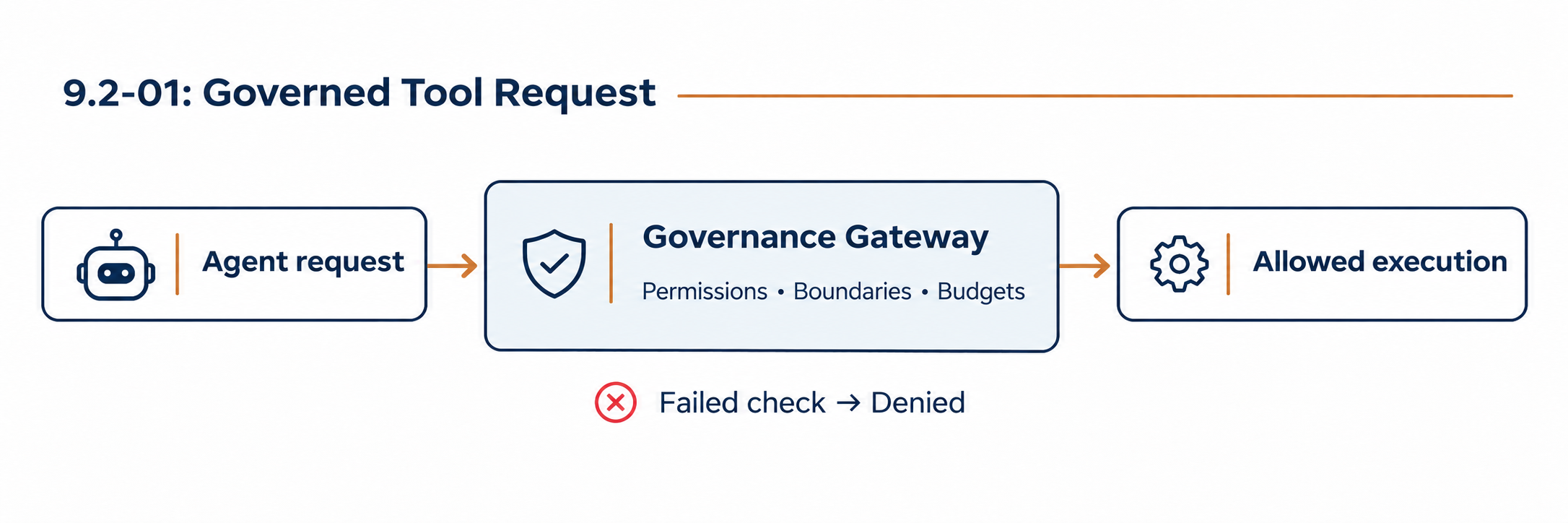
The Gateway checks three things:
- Permissions: Is this agent authorized to use this tool?
- Boundaries: Are the supplied arguments and destination allowed?
- Budgets: Is the request within the configured operating limits?
A request that fails a required check is denied. The agent can change its research plan, but it cannot bypass these checks.
1. Tool Permissions
Our application has two agents with different responsibilities.
The Research Agent is responsible for finding evidence and producing a research brief. The Publication Review Agent independently examines the completed research and recommends whether the brief is suitable for publication.
Responsibility determines which tools an agent needs. Permissions determine which tools it can actually use.
| Agent | Responsibility | Permitted tools |
|---|---|---|
| Research Agent | Discover and evaluate evidence; produce a brief | search_web, fetch_source, submit_brief |
| Publication Review Agent | Independently evaluate completed research | Governed read tools for the brief, evidence, and evaluation results |
Tool permissions also depend on how an action is exposed. In Lab 9, the Publication Review Agent can directly invoke only its four research-reading tools. It has no publication tool: if it recommends publication, the application submits the request under the agent’s identity, as described below.
For example, the Publication Review Agent can read the research package, but it cannot initiate new web searches using the Research Agent’s tools. The Research Agent can submit a brief, but it does not receive the review agent’s read-tool permissions.
The application supplies each agent’s identity to the Governance Gateway, which enforces the corresponding permissions whenever a tool is requested. An agent cannot grant itself additional access by changing the wording of its request.
This is least privilege: give each agent only the access needed to perform its assigned responsibility, rather than access to every tool in the application.
What about publication?
The Publication Review Agent can recommend publication, but a recommendation does not give it permission to publish.
If it recommends publication, the application converts that recommendation into a separate action request. The Governance Gateway first checks publication preconditions: the research package must be complete and consistent, must have passed its evaluation, and must cite existing evidence. If any check fails, the request is denied and never reaches a reviewer. A request that passes still needs authorized human approval. We’ll explore that authorization sequence in Lesson 9.3.
2. Tool and Destination Boundaries
Permission to use a tool does not authorize every possible use of it.
For example, our Research Agent can retrieve source content, but it cannot fetch arbitrary network addresses. Lab 9 validates source identifiers, destinations, and tool arguments before retrieval.
| Request | Result |
|---|---|
| Retrieve an allowed source using its application-issued source ID | Eligible to execute |
| Retrieve a private network address or unauthorized destination | Denied |
The application enforces these restrictions even if the agent believes the destination is relevant.
This also matters when a source contains instructions intended to redirect the agent. External content is evidence, not authority.
3. Operating Budgets
Even permitted tool calls need limits. An agent may decide that more searches or retrieved sources could improve a report, but each request consumes resources.
Lab 9 limits governed activity, including total requests, web searches, network retrievals, and brief submissions.
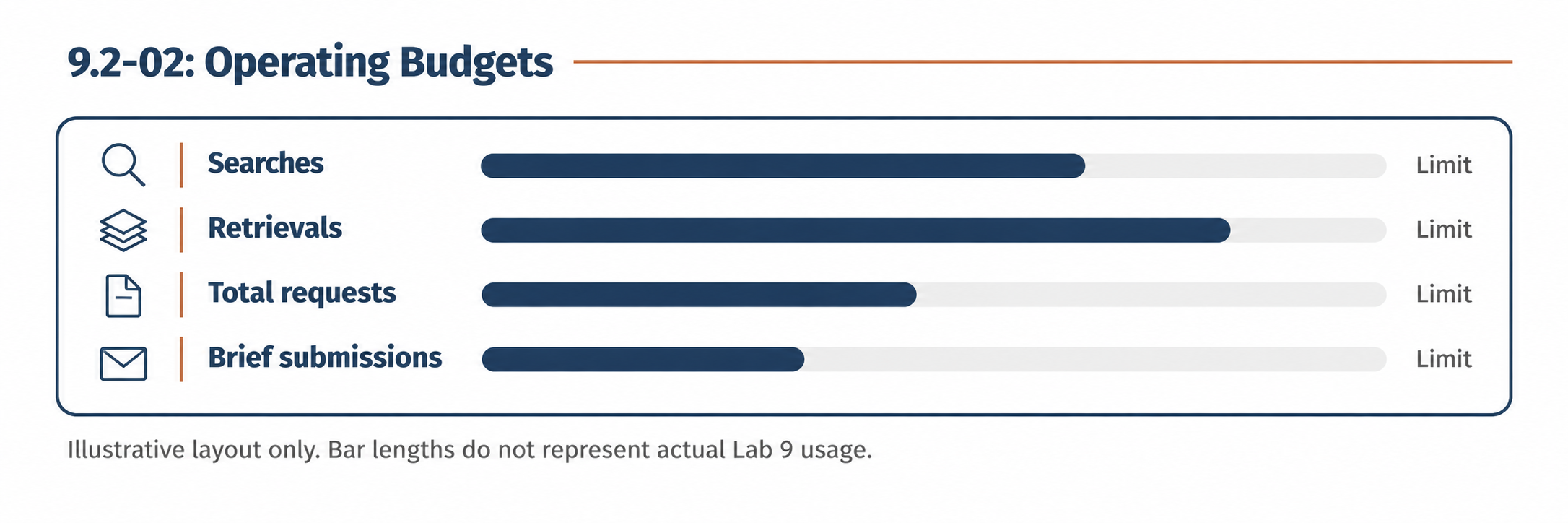
The application enforces these limits independently of the agent’s reasoning. The agent cannot raise its own budget because it wants to continue.
These are operating limits, not a guarantee of total financial cost. Live model calls and hosted tool use may incur additional charges.
What Happens When a Request Is Denied?
A denied request does not always end the research task. Depending on the reason, the agent may choose another permitted source, work with evidence already collected, or explain that it cannot complete the task.
But the application must not silently relax permissions or increase budgets to help the agent succeed.
The agent may adapt its plan. The application must preserve the boundary.
Lab 9.2: Inspect Governance Controls
From the extracted lab-09 folder, run:
python -m lab9.runSelect option 1, the offline research workflow, which uses prepared material and does not require an API key.
Inspect the available policy configuration and audit records:
lab9/policy.jsondefines each agent’s permissions and the operating budgets.lab9/data/sessions/<session>/audit.jsonlrecords the governance decisions.<session>is the directory the workflow creates for each run, such asresearch_offline-20261102T063400Z. The application prints its location when the run finishes.
Identify:
- Which tools each agent is permitted to use.
- Which arguments or destinations are restricted.
- Which operating budgets limit repeated requests.
Consider what would happen if the Research Agent requested a review-only tool, or if it exhausted its search budget.
The offline workflow demonstrates recorded or prepared governance behavior, not live agent reasoning. You do not need to run Live Mode for this lesson.
What We Learned
Tool permissions define what each agent may request. Argument and destination checks constrain how permitted tools are used. Operating budgets limit resource consumption.
Together, these controls allow an agent to reason and adapt without granting it unrestricted access to the application’s capabilities.
In Lesson 9.3, we’ll examine actions that may be proposed but still require human authorization before execution.
Test Your Understanding
Question 1 of 3
Why do the Research Agent and Publication Review Agent have different tool permissions?