
In Module 2, we gave our Research Agent tools. We built a Python function to retrieve research records and used OpenAI’s hosted web search to find external information.
But what happens when an agent needs to connect to tools maintained by different applications or services?
The Integration Problem
Our first custom tool was defined directly in the agent’s Python application.
That works well for a small project. But as the number of tools and applications grows, maintaining separate integrations becomes more complex.
An agent might need access to databases, document repositories, business systems, or specialized services. Each integration may have its own interface and requirements.
What Is MCP?
Model Context Protocol (MCP) is an open protocol that standardizes how AI applications connect to external tools and data sources.
Instead of implementing every tool directly inside the agent application, developers can expose capabilities through an MCP server.
The AI application connects through an MCP client, discovers available tools, and invokes them using a common protocol.
Direct Tools vs. MCP
| Direct Function Tool | MCP Tool |
|---|---|
| Defined in the agent application | Exposed by an MCP server |
| Registered directly with the agent | Discovered through an MCP client |
| Integrated using application code | Accessed through a standard protocol |
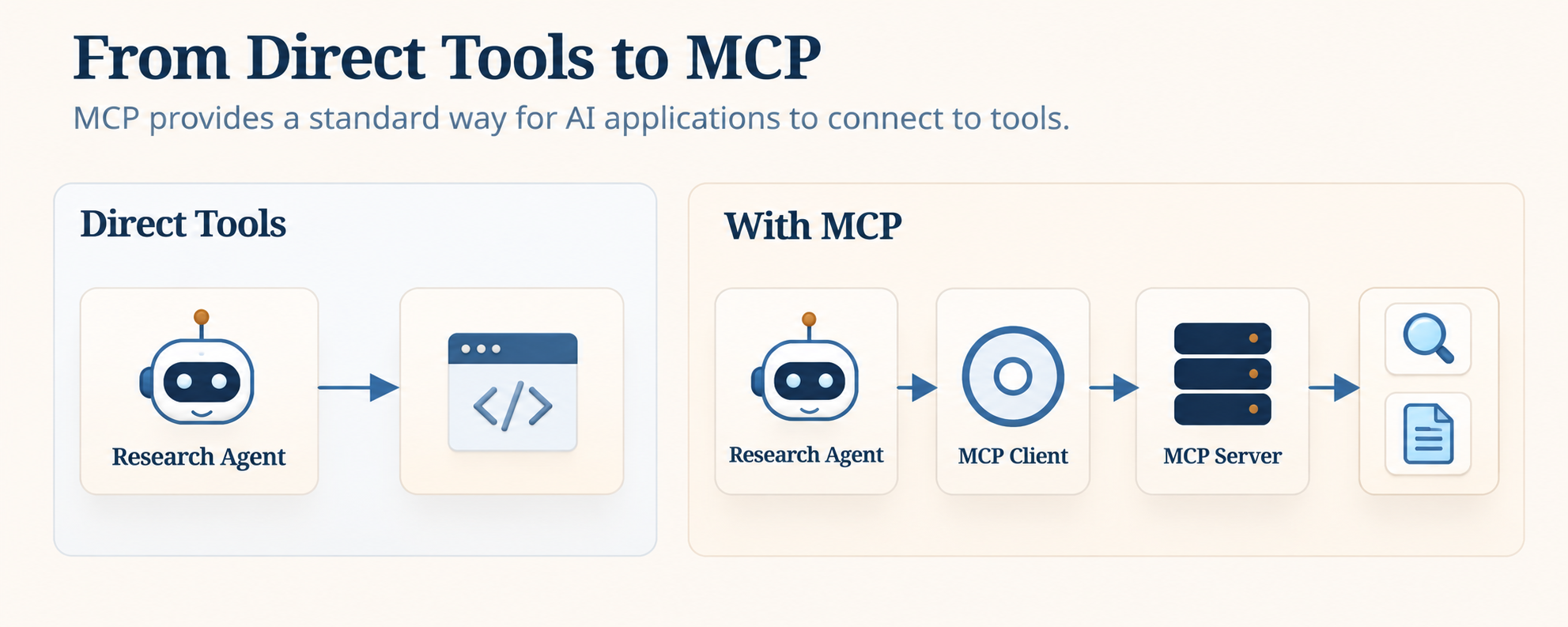
MCP doesn’t replace tools. It provides a standard way to connect to them.
How MCP Works
Three components are involved:
- AI application: Hosts the agent and coordinates its execution.
- MCP client: Communicates with the MCP server.
- MCP server: Exposes tools and executes requested operations.
The MCP server does not need its own language model. It provides capabilities that an AI application can use.
A single AI application can connect to multiple MCP servers, each offering different tools.
Why This Matters
MCP separates the implementation of a tool from the AI application that uses it.
A tool can be maintained independently and made available to different compatible AI applications without building a separate integration for each one.
This doesn’t eliminate the need for authentication, permissions, or application-specific configuration. It standardizes the communication interface.
What We’ll Build
In this module, we’ll create a local MCP server for our Research Agent.
The server will expose two tools:
get_research_source()to retrieve stored research metadata.fetch_article()to retrieve content from an approved webpage.
We’ll connect the agent to the server, discover its tools, and observe how tool requests and results move between components.
Test Your Understanding
Question 1 of 3
Why do we need MCP if agents can already call tools?