Where Should Our Agent Run?
In Lesson 10.1, we saw that moving an agent into production introduces responsibilities beyond the agent’s behavior.
Our PM Role Trends Research Agent runs on our computer. We start it from a terminal, it communicates with external AI services, and it saves research results locally.
That works for our lab. But what if several people need to use the application? What if the agent needs access to private business systems or software installed on an employee’s computer?
Choosing where an agent runs is both a technical and a product decision. It affects which applications the agent can access, how people use it, and what it takes to operate reliably.
Local, Cloud, and Hybrid Execution
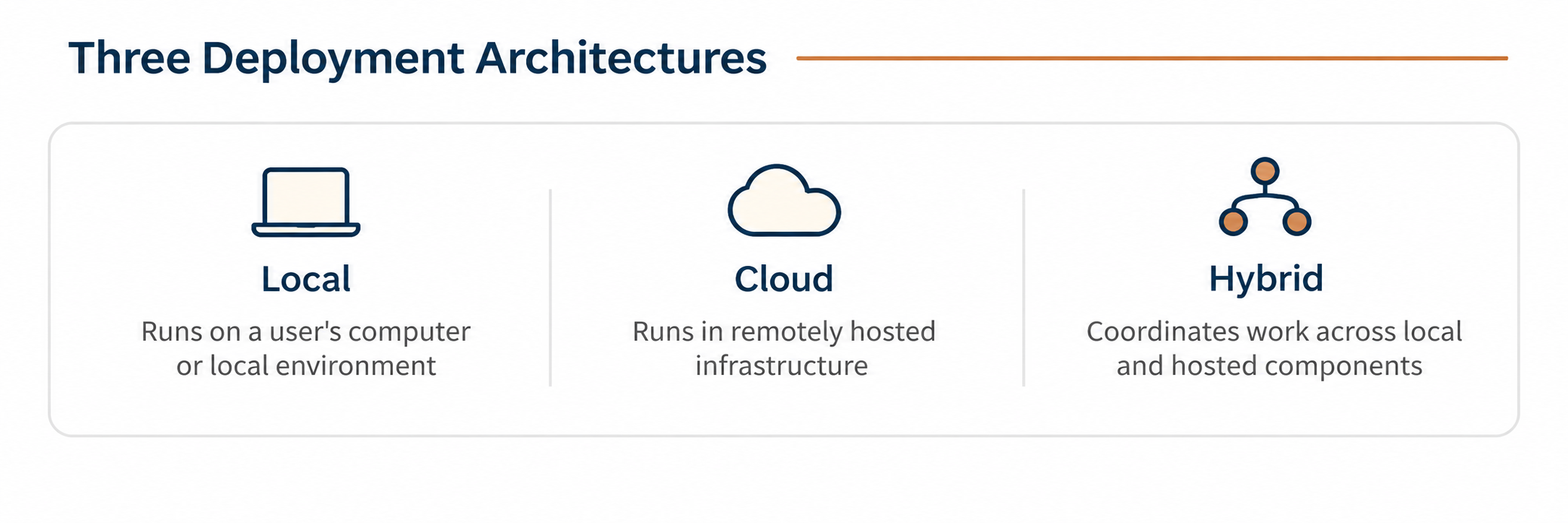
An agent application can run locally, in hosted infrastructure, or across both environments.
| Local | Cloud | Hybrid | |
|---|---|---|---|
| Where it runs | User’s computer or local environment | Hosted infrastructure | Across local and hosted environments |
| Main advantage | Direct access to local applications and files | Centralized operation and shared access | Combines cloud coordination with local execution |
| Main limitation | Device availability and distributed maintenance | Access to private or local systems | Coordination across environments |
| Best suited for | Desktop applications and local resources | Shared services, accessible APIs, scheduled tasks | Private applications requiring centralized coordination |
These are architectural patterns, not fixed categories.
Our research agent, for example, runs locally but uses a cloud-hosted AI model. A hybrid system might coordinate work in the cloud while executing approved actions on a bank’s desktop application.
Cloud execution also does not necessarily mean a public cloud. Organizations may use private or dedicated hosting environments.
Where Reasoning Happens and Where Actions Execute
The AI model, the application coordinating work, and the component executing an action do not have to run in the same environment.
Consider our research agent:
- The application runs on our computer.
- The AI model runs on a remote service.
- The application receives tool requests and controls which actions may execute.
- Results are saved locally.
Now consider an enterprise agent that needs to operate a Windows application inside a bank.
A cloud-hosted agent could determine which approved operation is needed, while a local connector executes that operation inside the bank’s network.
The connector does not need its own AI model. It may simply execute predefined, authorized actions.
This separation allows organizations to decide where reasoning, coordination, and execution belong.
An agent’s ability to determine what needs to happen does not automatically give it access or permission to perform the action.
Crossing the Network Boundary
A desktop agent can usually initiate a connection to an authorized cloud service. The reverse direction is more challenging because desktop applications often sit behind private networks and firewalls.
| Desktop to Cloud | Cloud to Desktop | |
|---|---|---|
| Direction | Desktop initiates an outbound connection | Cloud needs an authorized path to the desktop |
| Network access | Often straightforward with approved HTTPS access | Commonly restricted by firewalls and private networks |
| Authentication | Approved credentials or API keys | Authentication plus an established access path |
| Typical approach | Desktop calls a cloud API | Local connector retrieves tasks from the cloud |
| Main challenge | Credentials and permitted destinations | Secure access to private applications |
A cloud agent cannot simply reach an application running on an employee’s computer.
One solution is a local connector that initiates an outbound connection, retrieves approved tasks, executes them locally, and returns the results.
This allows the cloud to coordinate work without requiring an unsolicited inbound connection to the desktop.
Other approaches are possible, including persistent outbound connections and managed private networking. Each introduces different tradeoffs.
Detailed connectivity mechanisms are beyond the scope of this lesson.
Choosing an Architecture Based on Business Needs
The architecture should follow the work the agent needs to perform.
Example 1: Personal Research Assistant
An individual wants an agent to search public sources, organize findings, and prepare research summaries.
A cloud-based service may be convenient because it can operate independently of the user’s computer.
A local application may make more sense if the work depends on local files, installed software, or direct control over execution.
Both are reasonable options.
Example 2: Bank Reporting Agent
A bank needs an agent to gather information from internal systems and prepare a report for authorized employees.
Two possible architectures illustrate how access requirements influence the decision.
Option A: API-accessible systems
The bank’s internal systems provide approved APIs. An agent running in an authorized managed environment can retrieve the required information, prepare the report, and submit it for review.
Option B: Restricted desktop application
The required information resides in a desktop application without a supported API. A cloud agent coordinates the work, while a local connector accesses the application and returns the results through an authorized connection.
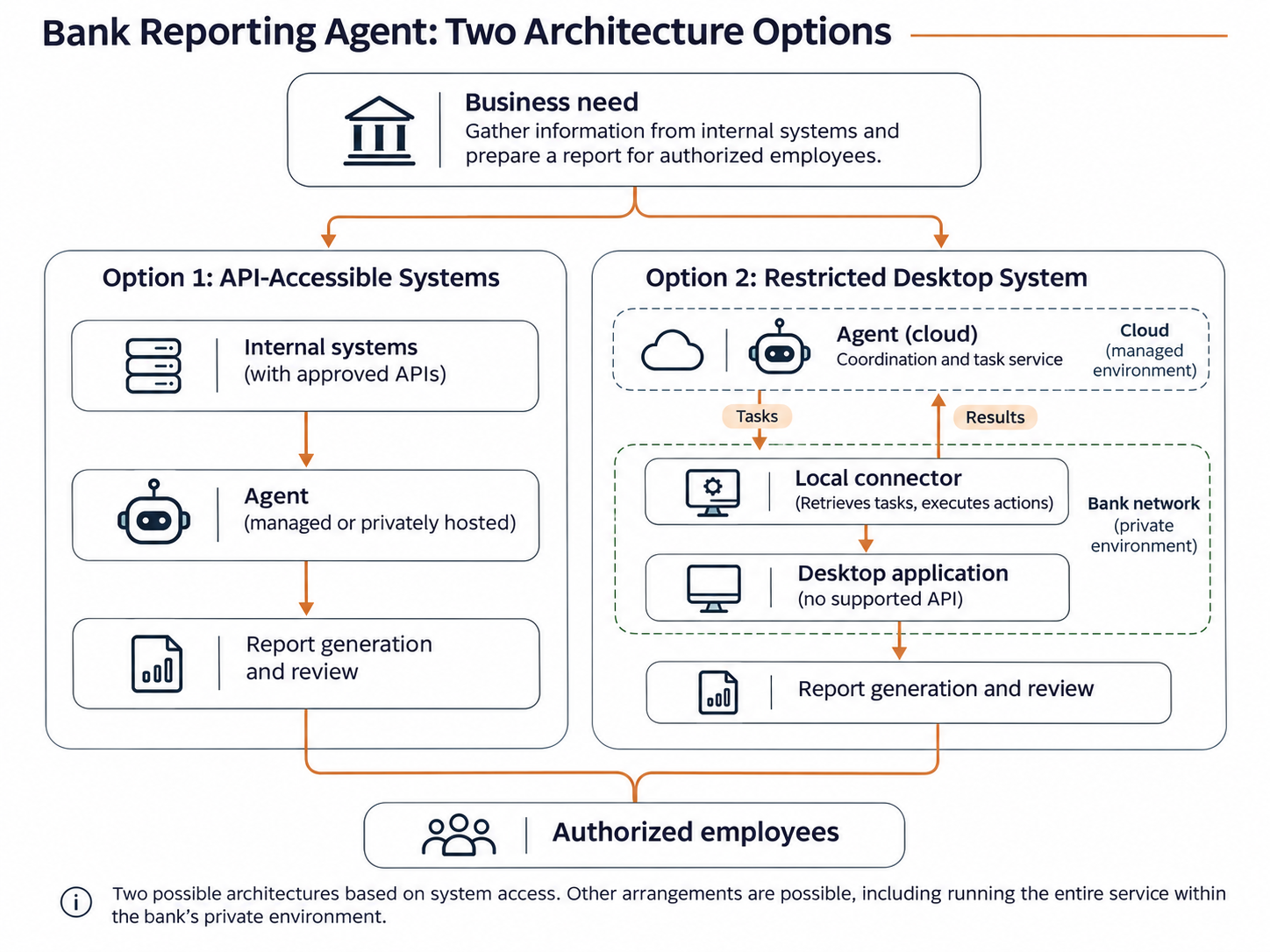
These are examples, not the only valid architectures. A bank could also operate the entire service within its private environment.
Attention, Product Managers
You don’t need to configure the infrastructure yourself, but you should understand how deployment choices affect the product.
An architecture that works for a personal research assistant may not meet the requirements of a service used across an organization.
The relevant questions include which systems must be accessed, how sensitive the information is, who relies on the output, and what happens when the service fails.
These considerations influence product scope, cost, security requirements, and ongoing operational responsibility.
Lab 10.2: Choose a Deployment Architecture
A fictional financial services company wants an agent that:
- Retrieves information from public research websites.
- Obtains records from an internal Windows application that has no supported API.
- Produces reports for several authorized employees.
Consider three architectures:
- Local execution on a designated workstation.
- Cloud execution with an authorized connection to internal systems.
- Hybrid execution with cloud coordination and a local connector.
For each approach, consider:
- How would the agent access the internal application?
- What happens if the workstation or network becomes unavailable?
- How would employees access the reports?
- What additional responsibilities would the architecture introduce?
Choose the approach you would recommend and explain one advantage and one limitation.
More than one architecture may be viable with suitable supporting infrastructure.
The goal is to understand the tradeoffs, not to configure a deployment environment.
What We Learned
Agents can run locally, in hosted environments, or across both.
The AI model, application coordinator, and action executor do not have to run in the same place.
Local execution can simplify access to desktop applications. Cloud execution supports centralized operation and shared access. Hybrid approaches combine capabilities from different environments but introduce additional coordination and security responsibilities.
The deployment architecture should follow the application’s business and technical requirements.
In Lesson 10.3, we’ll explore the frameworks and platforms available to build and operate these applications.
Test Your Understanding
Question 1 of 3
A company needs an agent to work with a Windows application that has no API and runs only on employees' computers. Which approach provides the most direct access?