In Lesson 3.1, we introduced MCP as a standard way for AI applications to connect to external tools.
Now we’ll examine how those connections work.
The Three Main Components
Our local MCP implementation has three main components:
1. Research Agent
The Research Agent runs within our AI application, which acts as the MCP host. It uses an LLM to interpret requests, decide when a tool is needed, and generate responses.
2. MCP Client
The MCP client is managed by the OpenAI Agents SDK. It connects to the MCP server, discovers available tools, and sends tool requests.
3. MCP Server
The MCP server is a separate program that exposes tools and executes their operations.
It does not need its own AI model.
Local MCP Architecture
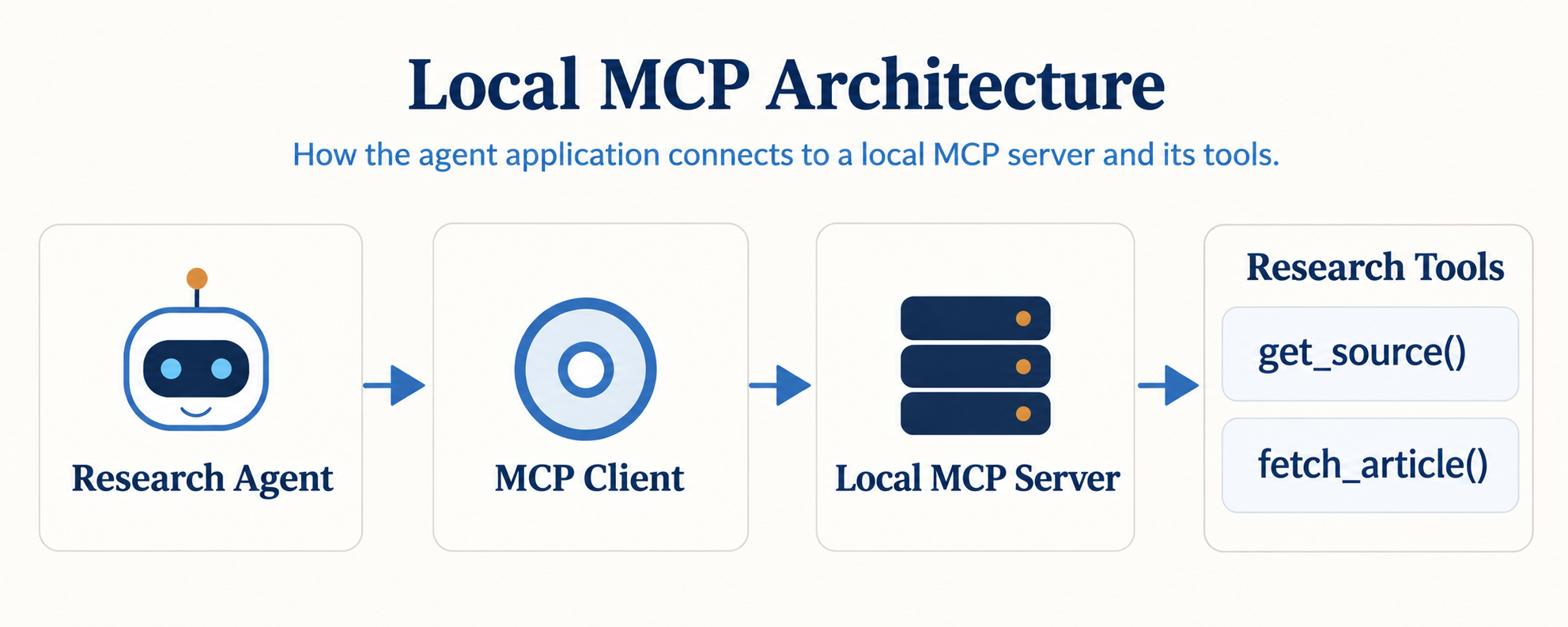
Our Research Agent connects to a local MCP server through the MCP client.
In this lab, the server exposes two tools:
get_research_source()retrieves stored research metadata.fetch_article()retrieves content from an approved webpage.
The MCP server determines how these operations are performed. The agent decides which available tool to request.
How the Components Communicate
Our implementation uses stdio, short for standard input and standard output.
The MCP client and server exchange protocol messages through the server process’s input and output streams.
The server runs as a separate local process, started by the agent application through the SDK.
No HTTP server or open network port is required for this connection.
What Happens When the Agent Needs a Tool?
The MCP client first retrieves the tools exposed by the server.
The SDK makes those tool definitions available to the AI model.
When the model selects a tool, the SDK routes its request through the MCP client to the server.
The server executes the operation and returns the result through the same connection. The SDK supplies that result to the model, which can then generate a response.
We’ll examine this sequence in more detail in Lesson 3.4.
Why Separate the Server?
The separation allows tools to be implemented and maintained independently of the agent application.
A compatible MCP client can connect to the same server without requiring the tools to be rewritten for each application.
This does not automatically make every tool safe or accessible. Permissions, credentials, and controls remain important.
What Did You Learn?
- An MCP client connects an AI application to an MCP server.
- An MCP server exposes and executes tools.
- Local MCP connections can use stdio without network ports.
- The AI model selects tools; the MCP server performs their operations.
Test Your Understanding
Question 1 of 3
What is the responsibility of the MCP client?